How to Ask AI for Repair Help Without Making It Guess
- Give AI evidence, boundaries, and permission to say “unknown”
- Start with the hard stop conditions
- Build an identity block without exposing identity
- Describe the symptom as an observation
- Add a timeline and the last known good state
- List prior checks exactly
- Use this bounded prompt
- Ask for a troubleshooting table
- Climb a reversibility ladder
- Challenge part and tool recommendations
- Protect credentials and logs
- Recognise remote-support scams
- Turn the final answer into a service handoff
Give AI evidence, boundaries, and permission to say “unknown”
Use AI for repair help by providing the exact device maker and model, software or firmware version, complete symptom, timeline, indicator behaviour, recent changes, and reversible checks already tried. Ask it to separate observations from hypotheses, cite current manufacturer instructions, label uncertainty, and stop before destructive or hazardous work.
Never share passwords, recovery codes, private files, account tokens, full serial numbers, addresses, or remote access. AI can organise a troubleshooting tree. It cannot measure a circuit, smell a hot battery, verify isolation from mains electricity, or guarantee that instructions for a similar-looking model apply to yours.
The useful question is not “What is broken?” It is “What safe observation would distinguish the next two possibilities?”
Start with the hard stop conditions
Do not continue AI-guided DIY work when you see or hear:
- a swollen, punctured, crushed, leaking, or deformed battery;
- unusual heat, hissing, popping, smoke, sparks, or sharp chemical odour;
- charred, melted, wet, or exposed mains-power parts;
- liquid inside a powered device;
- a safety interlock, fuse, earth connection, or protective cover the answer proposes bypassing;
- live probing or exposed mains-voltage work;
- a reset, format, firmware flash, partition change, or account removal without verified recovery;
- instructions that do not name the exact model or official procedure.
Stop using and charging a suspect lithium-battery device. Do not press swelling flat, puncture a cell, continue a “quick test,” or put it in household rubbish. Move away and call emergency services for fire or immediate danger. Otherwise follow manufacturer and local hazardous-waste instructions.
CPSC notes that high-energy batteries can present overheating, fire, shock, thermal-burn, and ejected-component hazards in its battery safety overview. OSHA workplace rules are not a home repair manual, but their core boundary is instructive: exposed live parts are de-energised before work when possible, and energised work belongs to qualified people using appropriate controls.
Build an identity block without exposing identity
AI needs device identity, not your identity. Include:
| Useful | Usually unnecessary or unsafe |
|---|---|
| Manufacturer and exact model family | Full serial number |
| Hardware revision when public and relevant | Account email or username |
| Operating-system or firmware version | Password, PIN, passkey, recovery code |
| Charger or accessory model and documented rating | Home address or receipt with payment details |
| Region when voltage, radio, or parts differ | Employer or customer confidential data |
| Warranty or repair status in general terms | Device-management keys or tokens |
Photograph the model label only after covering serials, barcodes, addresses, and regulatory IDs you do not need to disclose. Inspect the background for faces, mail, screens, reflections, location clues, and work documents. Remove image metadata when privacy requires it.
For employer, school, medical, legal, financial, or customer devices, follow the organisation’s approved support and data-handling policy. A public AI chat is not automatically an authorised troubleshooting system.
Describe the symptom as an observation
“It is dead” may mean no indicator, a black display with fans running, failure to boot, a frozen app, or a battery that will not charge. Write what your senses and non-invasive checks show:
- exactly what happens when power is pressed;
- whether LEDs illuminate, blink, or change colour;
- fan, drive, relay, beep, vibration, or startup sounds;
- visible message, including exact punctuation;
- whether the screen is black, dim, lit, or showing a logo;
- whether the device is unusually hot or smells different;
- whether the symptom is constant or intermittent;
- whether it depends on one cable, outlet, battery level, position, or accessory.
Do not interpret yet. “Orange LED blinks three times” is an observation. “The motherboard is fried” is a hypothesis wearing a tiny lab coat.
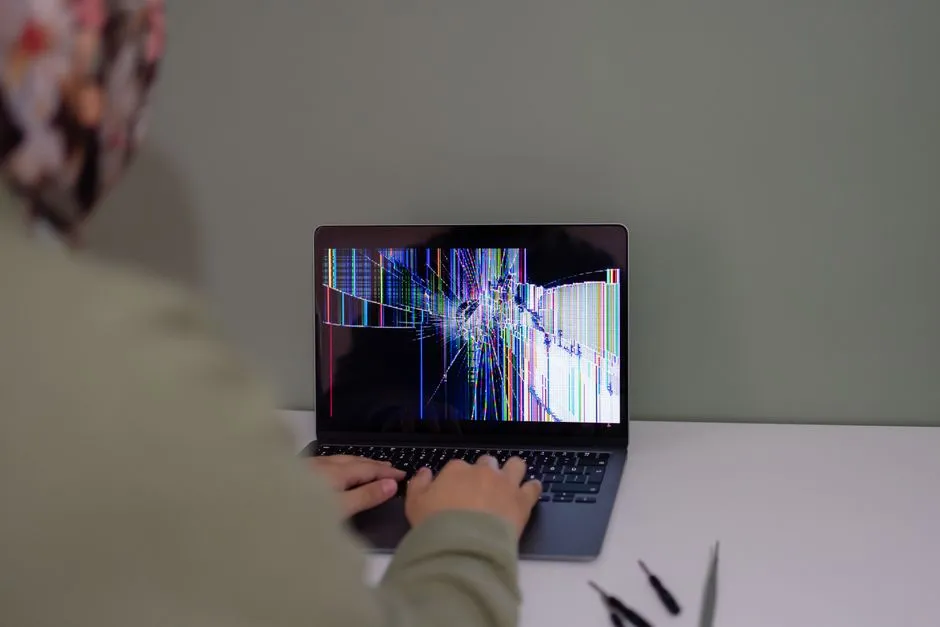
For a laptop that will not turn on, distinguishing no power from powered-with-no-display completely changes the safe branch. For a charging-port problem, “charges only when cable bends upward” points to a mechanical hazard, not a recommended cable posture.
Add a timeline and the last known good state
Record:
- When did it last work normally?
- What happened immediately before the symptom?
- Was there a drop, liquid, storm, outage, update, repair, new accessory, unusual heat, travel, or long storage?
- What changed after the first failure?
- Has the fault become more frequent or severe?
Correlation is not proof. An update before failure may matter, or the charging cable may have failed at the same time. Ask AI to list multiple hypotheses and the observation that would support or weaken each one.
Never hide a drop or spill because it feels embarrassing. Electronics have no disciplinary committee. The omitted fact only makes the advice worse.
List prior checks exactly
“Tried everything” tells neither an AI nor a technician anything. State:
- the outlet tested and how;
- exact cable or charger substituted and how compatibility was verified;
- accessories disconnected;
- normal restart or manufacturer-documented power reset attempted;
- indicator changes before and after;
- backup status;
- any error code and its official lookup;
- whether opening, cleaning, firmware, or reset has already occurred.
Do not repeat power cycling endlessly. If behaviour worsens, heat appears, or a battery or connector looks damaged, stop.
When a check was improvised, admit it. “Inserted a metal pin into the port” is safety-relevant history, not a detail to edit out of the final draft.
Use this bounded prompt
Copy and complete this template without secrets:
I have a [manufacturer and exact model] running [version]. The observable symptom is [precise description]. It began [timeline] after [relevant event, if any]. Indicators are [lights, sounds, display, heat, smell]. I have safely tried [exact reversible checks] and the results were [results]. My data backup is [verified/not verified/unknown].
Do not assume a diagnosis. Separate observations, hypotheses, and unknowns. Ask up to five clarifying questions first. Then give only reversible external checks in lowest-risk order. Cite the exact manufacturer documentation for any model-specific step. Warn before data loss, firmware changes, opening, battery handling, mains exposure, or warranty impact. Do not advise bypassing safety devices or working energised. State when qualified service is the right next step.
The phrase “up to five” keeps the interview usable. More questions can follow if an answer genuinely changes the branch.
Ask for a troubleshooting table
A good response can use:
| Hypothesis | Evidence for | Evidence against | Safe distinguishing check | Stop condition |
|---|---|---|---|---|
| Power source problem | No charge indicator | Same charger works nowhere yet | Test approved charger and outlet separately | Damage, heat, burning |
| Display path problem | Fan runs, keyboard responds | No external-display test | Follow official display-output steps | Liquid, physical panel damage |
| Software startup fault | Logo appears, then error | No backup | Record code; consult official recovery docs | Reset or erase proposed |
The table prevents one plausible idea from becoming “the diagnosis.” Ask the AI what evidence would make it change its mind.
If it cannot cite an official model-specific procedure, treat the step as unverified. Search the manufacturer’s support site yourself using the model and exact error. Publication date and model revision matter.
Climb a reversibility ladder
Use the least irreversible check that can answer the question:
- Observe without touching.
- Record indicators and exact messages.
- Disconnect optional external accessories.
- Test a known-compatible external cable, charger, outlet, or display.
- Perform a normal restart.
- Use a manufacturer-documented non-destructive diagnostic.
- Back up and verify data.
- Seek qualified service.
- Only then consider model-specific opening, part replacement, firmware, recovery, or reset within proven skills.
The order can change for safety. A swollen battery jumps directly to “stop use and qualified handling.” A malware or fraud incident may require preserving evidence before any cleanup. A work device goes to approved IT.
The factory-reset checklist exists because “reset it” is often offered far too early. A reset can destroy data and evidence without fixing hardware.
Challenge part and tool recommendations
Ask:
- What exact manufacturer part number supports this model and revision?
- Which official source confirms voltage, current, polarity, connector, chemistry, and firmware compatibility?
- Is the tool size documented, or guessed from another model?
- Does opening affect sealing, calibration, safety, or warranty?
- Is the proposed adhesive, solvent, lubricant, or cleaner approved for this material?
- What happens if the guess is wrong?
Do not accept “universal charger,” “same connector,” “standard battery,” or “probably a T5 screw” without evidence. Incorrect power equipment can overheat, shock, damage charging circuitry, or cause fire. A slightly wrong driver can strip the fastener and convert a small repair into modern sculpture.
Protect credentials and logs
Before sharing a screenshot or log, search for:
- usernames and home-directory paths;
- email addresses and device names;
- IP, MAC, Wi-Fi, Bluetooth, and host information;
- document, project, customer, or patient names;
- serials, licence keys, tokens, cookies, and API credentials;
- cloud paths and account identifiers.
Redact a copy, never the original. Share the smallest relevant excerpt. Do not ask AI to “remember” passwords, recovery keys, seed phrases, authenticator secrets, or passkeys.
If an AI response asks you to upload a full system image, private crash dump, browser profile, or credential store, refuse and use trusted professional support.
Recognise remote-support scams
The FTC warns that tech-support scammers use alarming pop-ups, unsolicited calls, and fake search results to obtain remote access, money, or credentials. Its current scam guidance says legitimate companies do not unexpectedly contact you to announce a computer problem, and real security pop-ups do not tell you to call a number.
Do not:
- call a number in an alarming pop-up;
- install remote-access software for an unsolicited caller;
- share a screen containing banking or passwords;
- pay with gift card, cryptocurrency, wire, or transfer under pressure;
- trust a support identity because it knows your device brand.
Navigate independently to the manufacturer’s official support channel. Verify any remote session, scope, and termination method before deliberately starting it. When a scammer had access, disconnect, use a known-clean device to secure accounts, contact financial institutions as needed, and follow official identity-theft guidance.
Turn the final answer into a service handoff
When external checks do not resolve the problem, ask AI to create a concise handoff containing:
- device model and version;
- symptom and timeline;
- safety observations;
- exact indicators and errors;
- checks and results;
- data and backup status;
- suspected physical event;
- warranty or prior repair;
- questions for the technician.
Review it for invented details. This can save diagnostic time without pretending the AI repaired anything.
The best AI repair session ends with one of three outcomes: a reversible check resolves the issue, the evidence narrows the next qualified test, or the system clearly says stop. Confidence is not a fourth outcome. It is merely a tone setting.